Skip to content

Seale's Empire: Digital Asset & Technology Portfolio

Confidential · 2026

Technology

Empire X

One AI ecosystem. Infinite possibilities.

Powered by OpenAI

Empire X — One AI ecosystem. Infinite possibilities.
Empire X

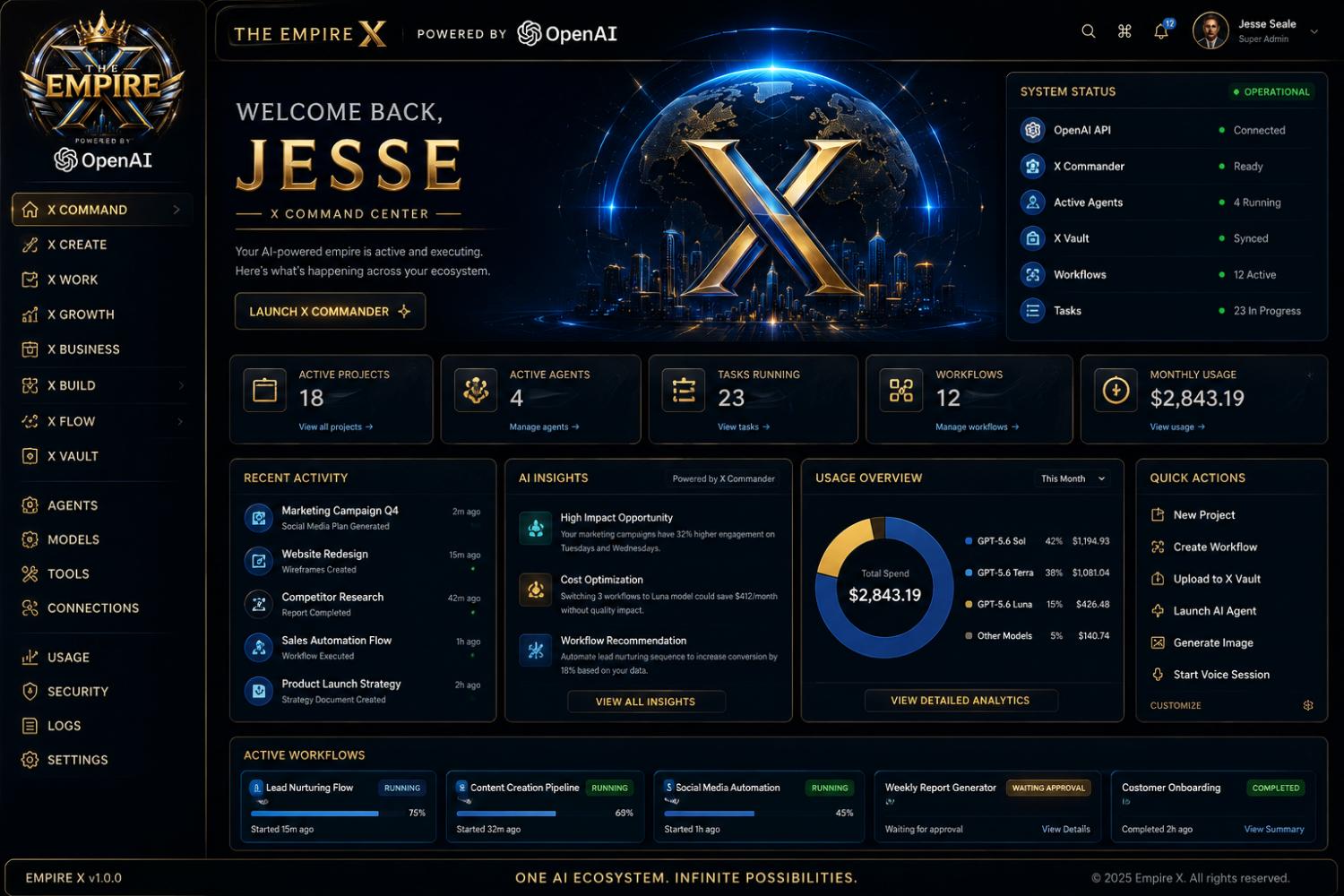
The command center of Seale’s Empire. Empire X is a unified AI operating system for projects, agents, workflows, vaulted knowledge, and growth—seven suites, fifty-six pages, one empire.

Empire X is the sovereign interface for the portfolio: a dark, gold-framed command center where operators launch X Commander, route work across specialized agents, and watch the ecosystem execute in real time.

X Vault keeps knowledge synced. The model router sends each job to the right intelligence. Automations and workflows keep crews, capital, and content moving without a stack of disconnected tools.

Built for results and designed for leaders—secure, private, and enterprise-ready.

Suites
7
Pages
56
Active projects
18
Workflows
12

Services

What we actually do

Empire X is not a single app. It is seven suites and fifty-six pages that replace a pile of rented software with one private operating system for the empire.

  • X Commander

    The decision layer. Launch it when work needs a brain, not another tab.

    X Commander is the central router and decision-maker. It takes a job—estimate a floor, draft a campaign, review a contract, spin up a workflow—and directs it to the right specialized agents. Operators see active agents, live tasks, and running workflows from one pane instead of chasing status in inboxes.

    • Task routing across specialized sub-agents
    • Live status for agents, workflows, and in-progress work
    • Human approval gates when a job should not auto-run
    • Handoff back into X Vault, X Flow, and X Projects
  • X Vault

    Self-organizing knowledge. Encrypted, content-aware, always available.

    X Vault is the empire’s archive: estimates, contracts, job photos, brand files, and operator notes live in one encrypted store. Files are classified from their content, not from a folder someone remembered to make. The rest of Empire X reads from Vault so agents and people work from the same record.

    • Encrypted storage with role-based access
    • Content-aware sorting and search
    • Sync across Command, Work, and Control suites
    • Retention and export controls for partners under NDA
  • Model router

    Right model. Right task. Optimal cost.

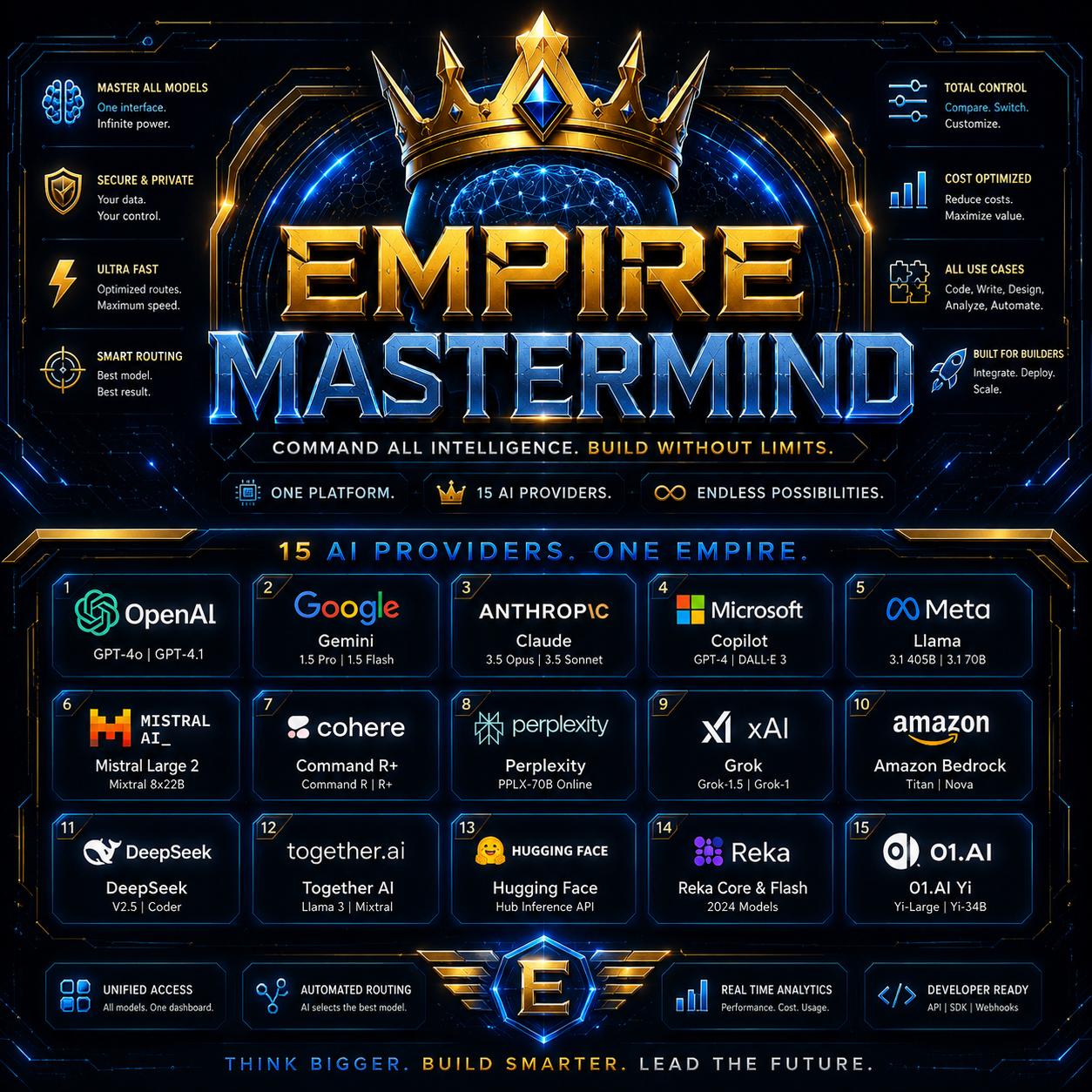
    The router sits under Commander and Mastermind. It scores quality, latency, and spend for each job instead of locking the empire to a single vendor. High-stakes legal and financial work can stay on a conservative route; drafts and research can run cheaper without the operator choosing a model by hand.

    • Per-task routing across the intelligence layer
    • Cost and quality tradeoffs visible in Usage
    • No single-vendor lock-in
    • Override when an operator wants a named model
  • Multi-agent orchestration

    Crews of specialists, not one generic chatbot.

    Empire X runs named agents as a mesh: command, field, legal, vision, vault, sales, and growth. Orchestration keeps them on assignment with observable status—4 running, 12 workflows active, 23 tasks in progress—so leadership can see the empire executing instead of hoping it is.

    • Named, scoped agents with clear jobs
    • Workflow graphs that chain agents together
    • Activity feed and insight cards from live work
    • Quick actions: new project, workflow, vault upload, agent launch
  • X Flow

    Automate anything. Connect everything.

    X Flow is the pipeline layer: lead nurturing, content creation, social automation, weekly reports, customer onboarding. Flows can run, wait on approval, or complete with a summary. Operators start them from Command and inspect them from Workflows without rebuilding the same sequence in five tools.

    • Lead, content, report, and onboarding pipelines
    • Approval states for work that needs a human
    • Connectors into Vault, Agents, and Growth
    • Run history so a flow can be audited later
  • Usage, security & control

    Spend, models, connections, logs, and locks in one pane.

    Control is how the empire stays sovereign. Usage shows monthly spend by model. Security, logs, connections, and settings sit next to Agents and Tools so an operator can see who is connected, what is running, and what it costs—without a finance export three days later.

    • Live spend and model mix
    • Connection status for APIs, vault, and agents
    • Logs for operators and auditors
    • Enterprise-ready access and private-by-default posture

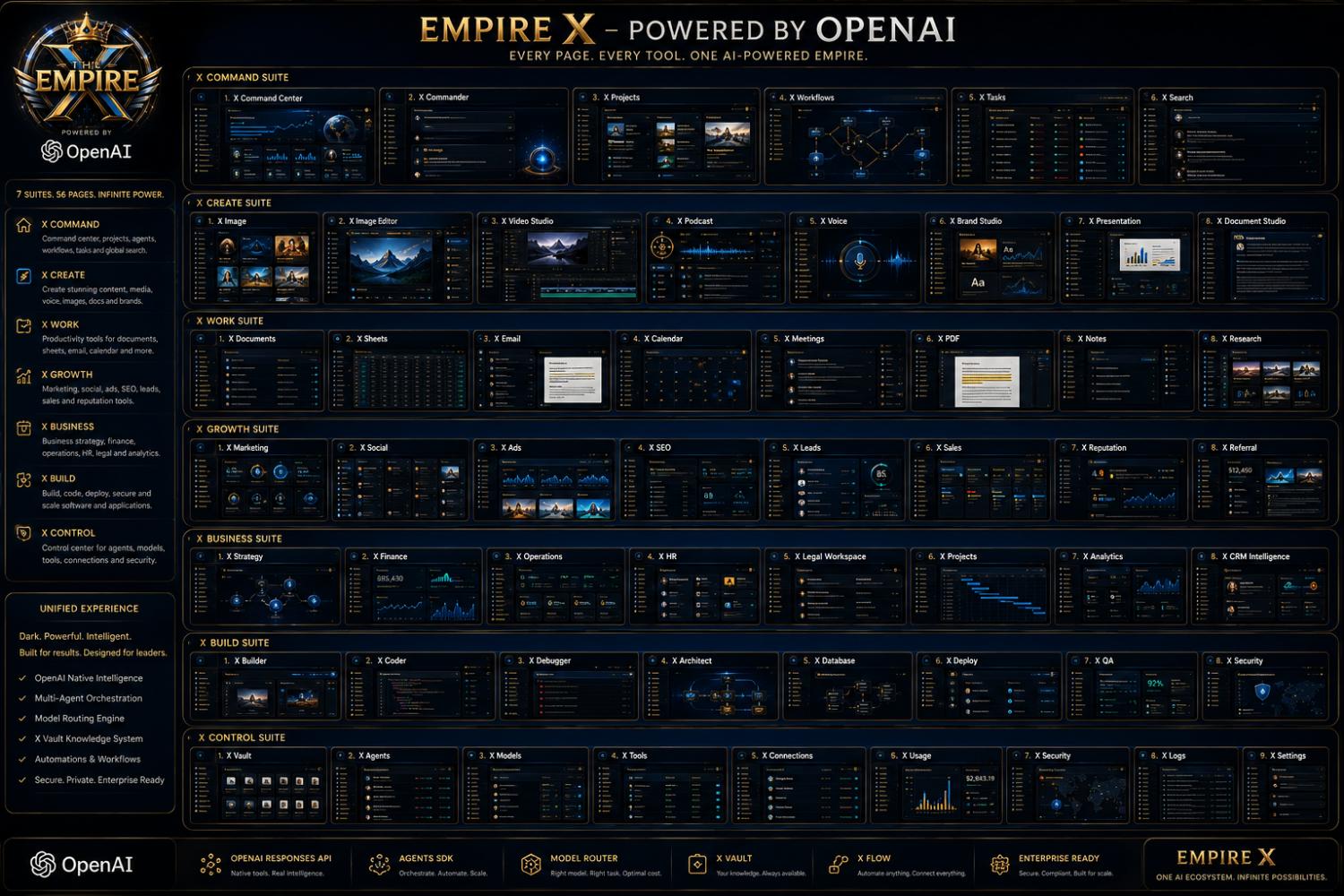
Seven suites. Fifty-six pages.

Every page. Every tool. One AI-powered empire. Open a suite for what each surface actually does.

X Command

The bridge of the empire—status, commander, projects, workflows, tasks, and global search.

  1. 01

    X Command Center

    Live operational dashboard: projects, agents, spend, and system health.

  2. 02

    X Commander

    Launch pad for routing work to specialized agents.

  3. 03

    X Projects

    Active work across companies, with owners and stage.

  4. 04

    X Workflows

    Visual graphs of automations that are running, waiting, or complete.

  5. 05

    X Tasks

    The in-progress queue—what is assigned, blocked, or due.

  6. 06

    X Search

    One search across vault files, projects, people, and tools.
X Create

A studio for content, media, voice, images, documents, and brands—without leaving the empire.

  1. 01

    X Image

    Generate and brief stills for campaigns, products, and field docs.

  2. 02

    X Image Editor

    Retouch, crop, and composite without a separate editor stack.

  3. 03

    X Video Studio

    Assemble motion for ads, training, and launch films.

  4. 04

    X Podcast

    Record, edit, and package audio shows under the empire brands.

  5. 05

    X Voice

    Voice sessions for operators who think faster than they type.

  6. 06

    X Brand Studio

    Lockups, type, and kits that stay on-empire across companies.

  7. 07

    X Presentation

    Decks for investors, crews, and clients from live data.

  8. 08

    X Document Studio

    Long-form strategy, contracts, and reports with vault context.

X Work

The operator desk: documents, sheets, mail, calendar, meetings, PDFs, notes, and research.

  1. 01

    X Documents

    Shared writing that stays tied to a project, not a personal drive.

  2. 02

    X Sheets

    Tables for estimates, inventory, and capital models.

  3. 03

    X Email

    Operator mail with threads that can spawn tasks and flows.

  4. 04

    X Calendar

    Crew, client, and command calendars in one grid.

  5. 05

    X Meetings

    Agendas, notes, and action items that land back in Tasks.

  6. 06

    X PDF

    Read, mark, and file PDFs into Vault without a third-party viewer.

  7. 07

    X Notes

    Field and desk notes that agents can actually find later.

  8. 08

    X Research

    Competitive, market, and technical research with cited sources.

X Growth

Demand engine: marketing, social, ads, SEO, leads, sales, reputation, and referrals.

  1. 01

    X Marketing

    Campaign plans, calendars, and performance against empire brands.

  2. 02

    X Social

    Scheduled and agent-assisted presence across channels.

  3. 03

    X Ads

    Creative, spend, and targeting with Ad Intelligence in the loop.

  4. 04

    X SEO

    Technical and content SEO for the public faces of the empire.

  5. 05

    X Leads

    Inbound capture, scoring, and routing into sales or field.

  6. 06

    X Sales

    Pipeline, quotes, and close plans that write back to Vault.

  7. 07

    X Reputation

    Reviews, mentions, and response playbooks.

  8. 08

    X Referral

    Partner and customer referral loops with tracked payouts.

X Business

The company brain: strategy, finance, operations, HR, legal, analytics, and CRM.

  1. 01

    X Strategy

    Goals, bets, and portfolio view across operating companies.

  2. 02

    X Finance

    Spend, revenue, and closed-loop capital views for operators.

  3. 03

    X Operations

    How work actually moves: crews, inventory, vendors, SLAs.

  4. 04

    X HR

    People, onboarding, and field communication—including bilingual crews.

  5. 05

    X Legal Workspace

    Contracts, insurance, and risk with The Legal Shield in reach.

  6. 06

    X Projects

    Business-side project control tied to Command projects.

  7. 07

    X Analytics

    Cross-company reporting that does not wait on a weekend export.

  8. 08

    X CRM Intelligence

    Accounts and relationships with agent-written briefs.

X Build

Software factory: builder, coder, debugger, architect, database, deploy, QA, and security.

  1. 01

    X Builder

    Assemble internal tools and product surfaces without a ticket queue.

  2. 02

    X Coder

    Implementation with empire standards, not a throwaway prototype.

  3. 03

    X Debugger

    Trace failures across apps, agents, and flows.

  4. 04

    X Architect

    System maps before code so new products land on the Grid.

  5. 05

    X Database

    Schema, access, and backups for empire data.

  6. 06

    X Deploy

    Release, roll back, and observe production.

  7. 07

    X QA

    Checks and regressions before a crew or a customer sees it.

  8. 08

    X Security

    Build-time controls that match Control-suite policy.

X Control

The locks: vault, agents, models, tools, connections, usage, security, logs, and settings.

  1. 01

    X Vault

    Knowledge control plane—what is stored, who can read it, how long it lives.

  2. 02

    X Agents

    Roster, permissions, and runtime for every named agent.

  3. 03

    X Models

    Catalog and routing policy for the intelligence layer.

  4. 04

    X Tools

    Connected tools the mesh is allowed to call.

  5. 05

    X Connections

    API and integration health across the empire.

  6. 06

    X Usage

    Spend, volume, and model mix for the period.

  7. 07

    X Security

    Access, secrets, and incident posture.

  8. 08

    X Logs

    Operator-readable history for support and audit.

  9. 09

    X Settings

    House configuration: identity, locale, and policy defaults.

Marks & proof

Empire X visual
Empire X visual

Launch X Commander

Tell us who you are. We will route you to the right company in the empire.

I am a